How we increased an online store's sales 3-5x thanks to GetProfit
Product segmentation for Google Ads: how assortment analysis turned into five product groups by sales volume and a daily budget reallocation between them.
This method won’t suit you if you have:
- a small assortment (up to 200 products)
- your marketing budget in Google is less than 500 USD per month.
But it will suit those who:
- they already invest in advertising and have a budget above 500 USD/month.
- they have an assortment of more than 200 items
- they want to increase their sales at the same ROAS/PNO
- they need a higher return on advertising investment or a lower PNO
- they want to save time on marketing and focus only on tracking results
Take a look at one of the examples of what happened after GetProfit was connected:
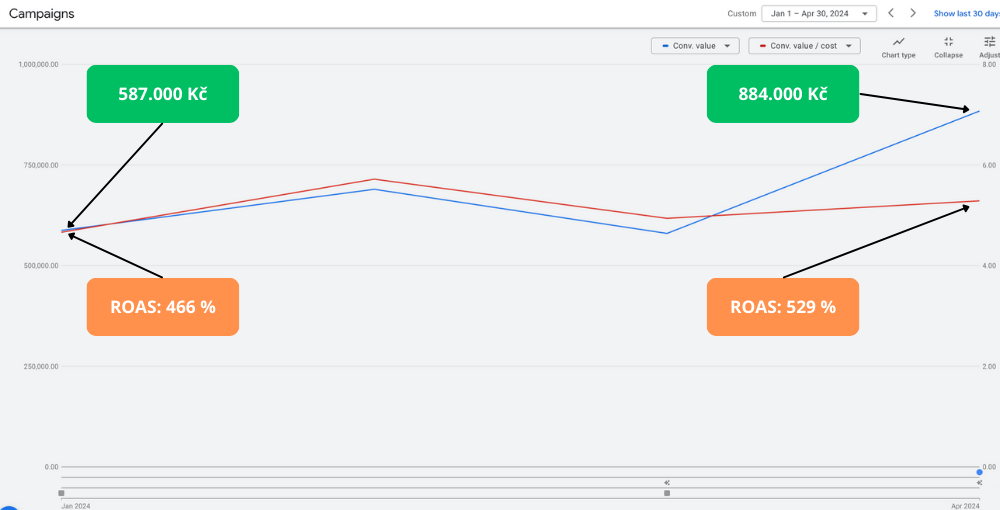
Here is another example:
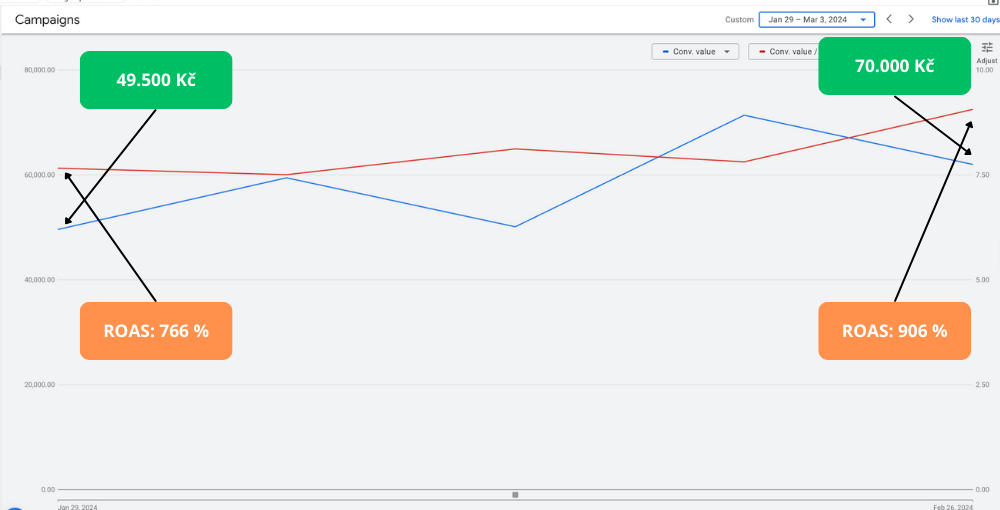
And here is one more:
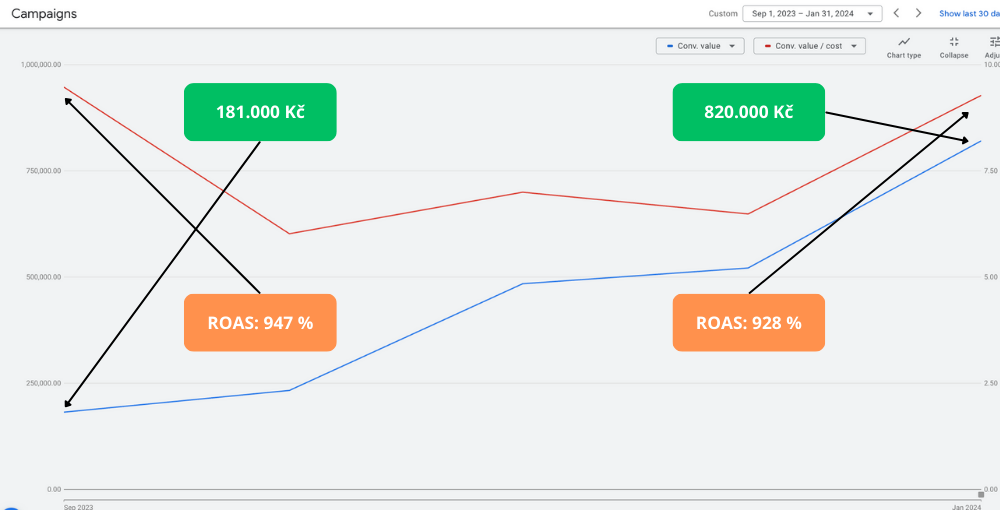
We can’t guarantee you the exact same result, but it will definitely be better than before.
But I think it’s important to understand how and why GetProfit works.
How we built GetProfit
I have many years of experience promoting online stores. I had my own online stores and also helped others grow theirs. Overall I have worked in different niches:
- electronics
- carpets
- designer home goods
- kitchenware
- Food supplements
- children’s furniture
- toys
- surveillance cameras
- And much more
And not only in Czechia and Slovakia, but also in the United Kingdom, Germany, Poland, Australia, Japan, the UAE, the USA, Ukraine.
Like any online store owner, I always asked myself how sales and profit could be increased. I ran many tests and tried different approaches.
Over several years I spent more than 4 million dollars on marketing.
At first I worked with various experts in this field:
- 4 marketing agencies,
- more than 5 freelancers.
I listened carefully, took in their knowledge and experience. I tried to be active and to create everything needed on our side. However, after many iterations, I still didn’t arrive at significant results.
So I began to dig deeper into marketing to understand how I could influence my own results. I bought Perry Marshall’s book about Google Ads, read it, took the mechanics from it and started setting up my own advertising campaigns.
It’s a good book that helps you understand how to work with text and banner advertising campaigns. However, in online stores you get the largest sales thanks to shopping ads, which unfortunately was not in the book.
So I started searching for and trying different methods that I found on the internet:
- SKAG
- SPAG
- Hagakure
- Ranking priorities by campaign
- Splitting campaigns by different search queries
- Segmentation by category
- Segmentation by location
- And so on…
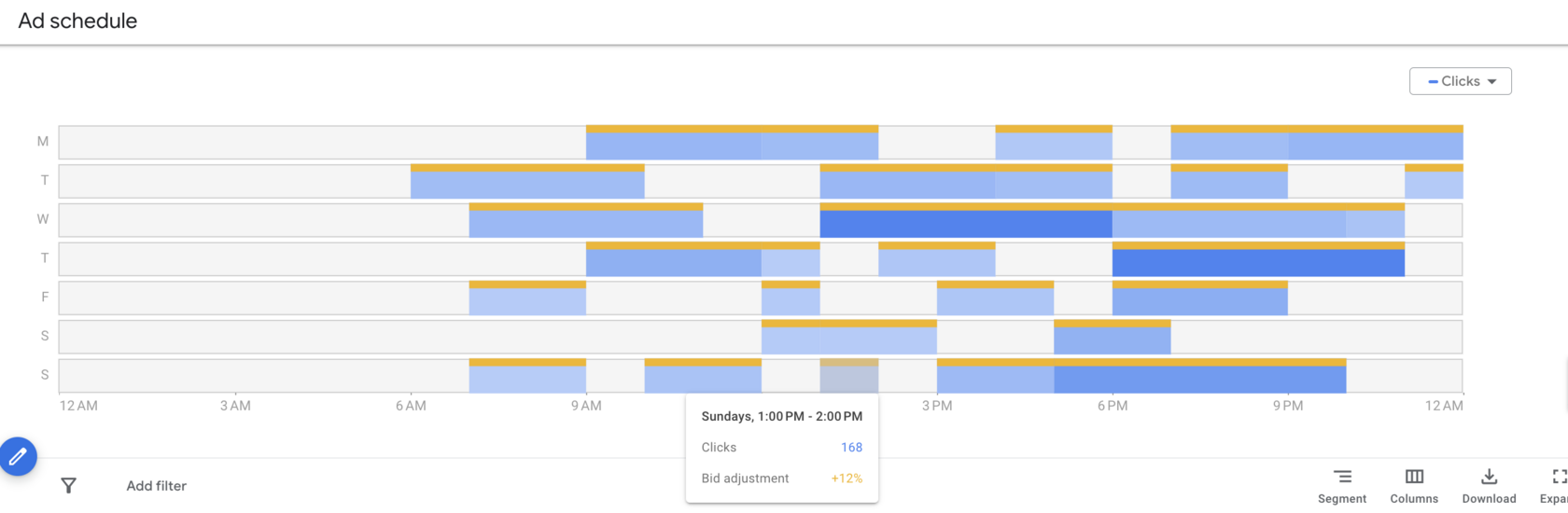
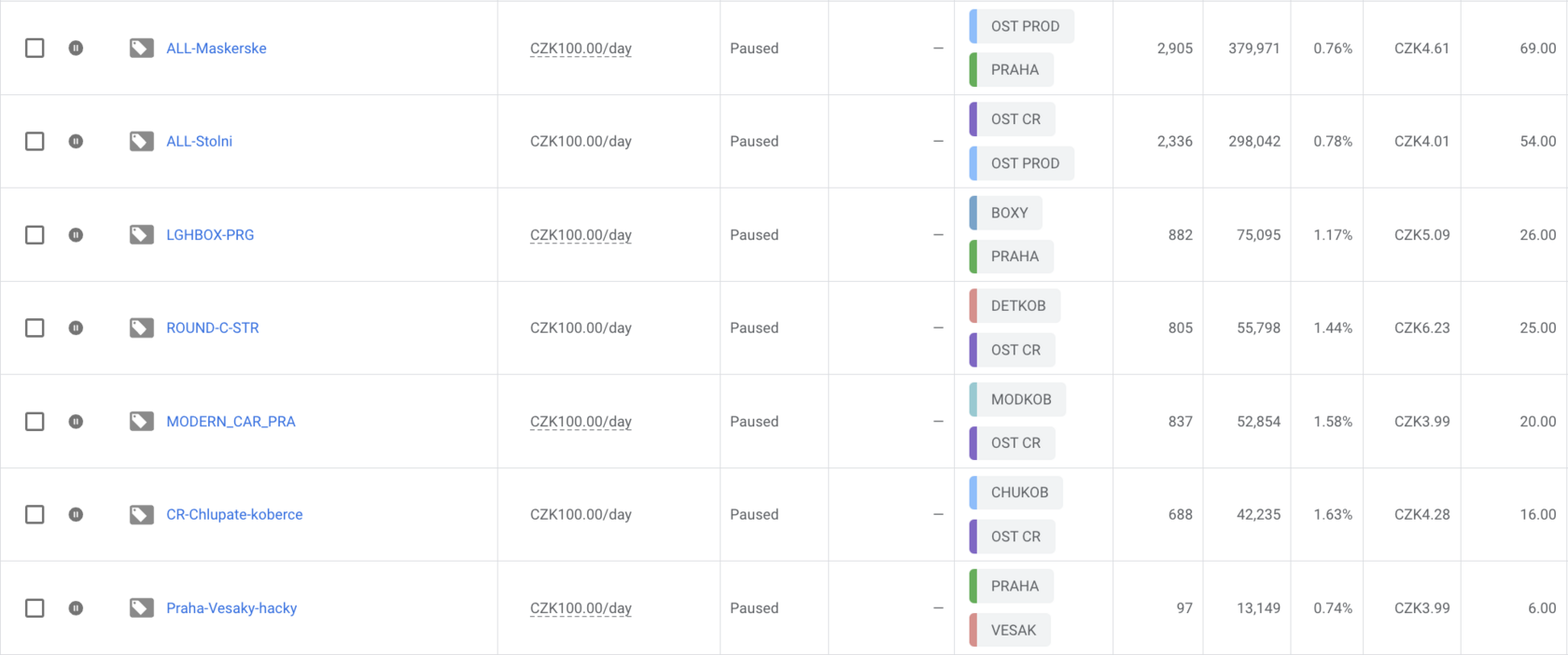
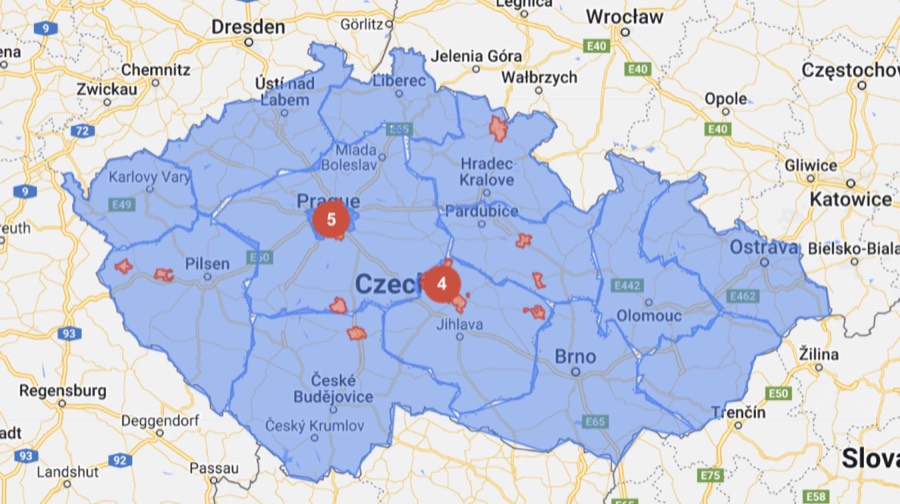
I spent a lot of time understanding and testing these methods, but the results were insignificant.
And only after attending lectures on financial planning did I discover the missing piece of the puzzle.
You need to segment products inside Google Ads.
I was doing assortment analysis, spending a lot of time in Excel, merging data, visualising it. I created and analysed more than 90 pivot tables.
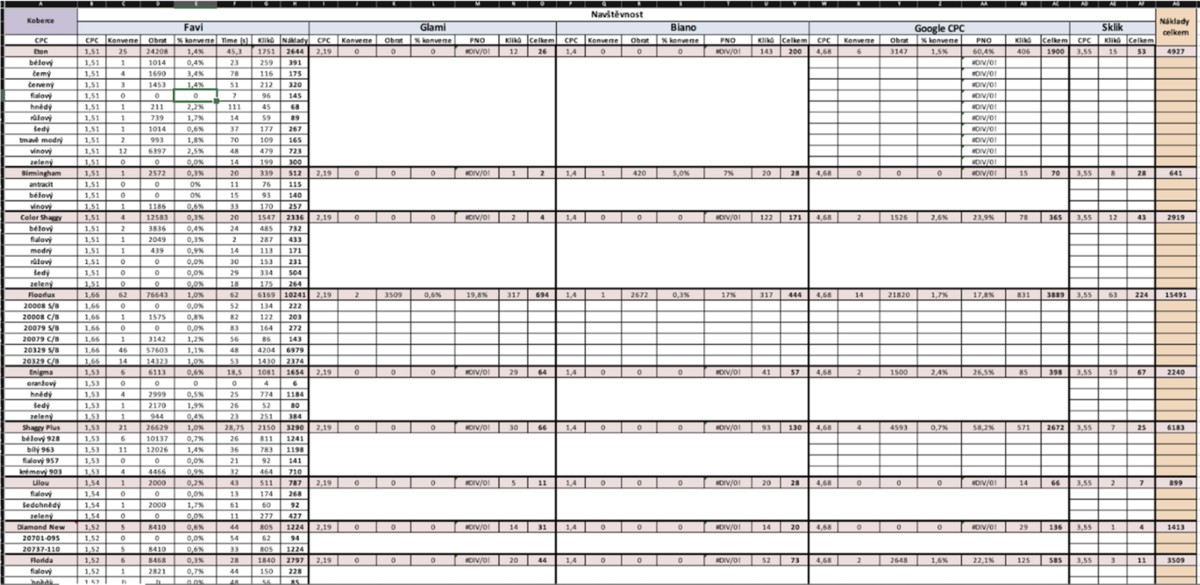
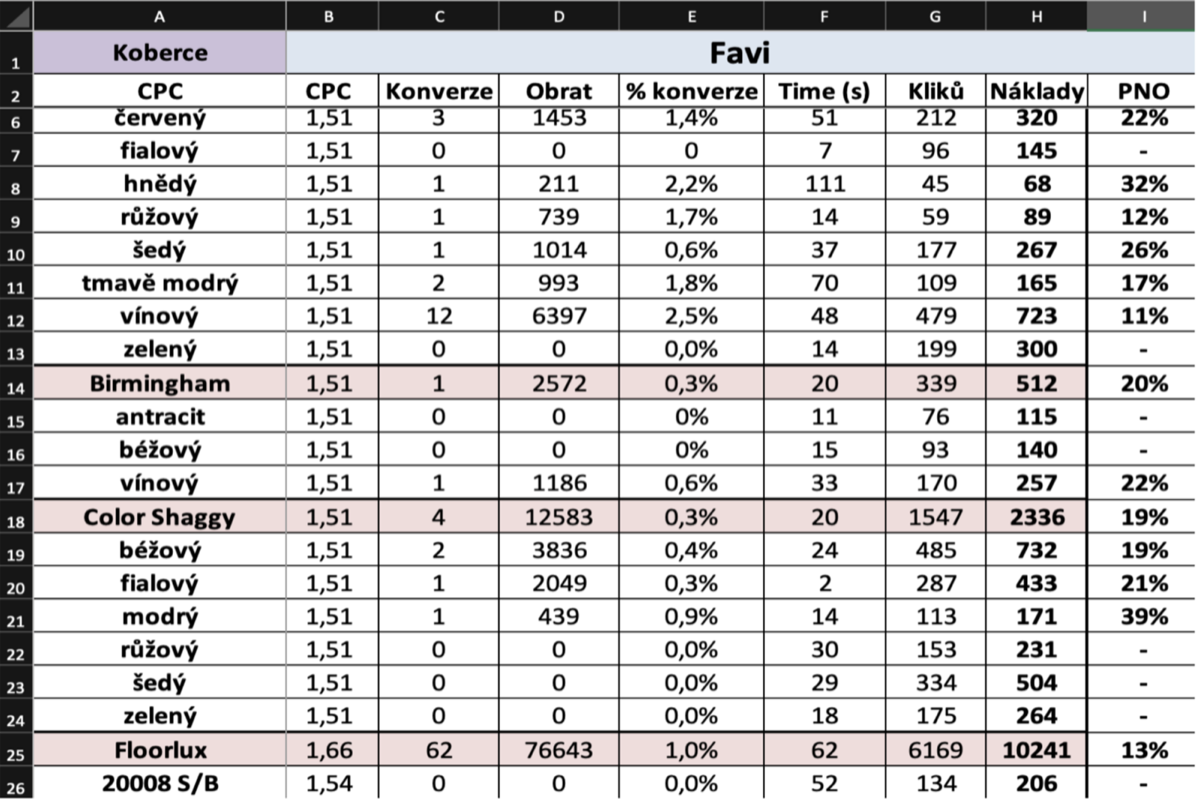
My example from practice
In my work I used various data analysis tools:
- ABC analysis
- XYZ analysis
- The Boston matrix
- VED
- The McKinsey method
- RFM analysis
- ABCDE analysis
- Fisher’s method
- The Pareto principle
For more than a month I worked on merging data from different sources (CMS, XML Feed, Google Analytics, Google Ads). And I was able to answer the question of how much we earn on each individual product minus the marketing budget spent on that specific product.

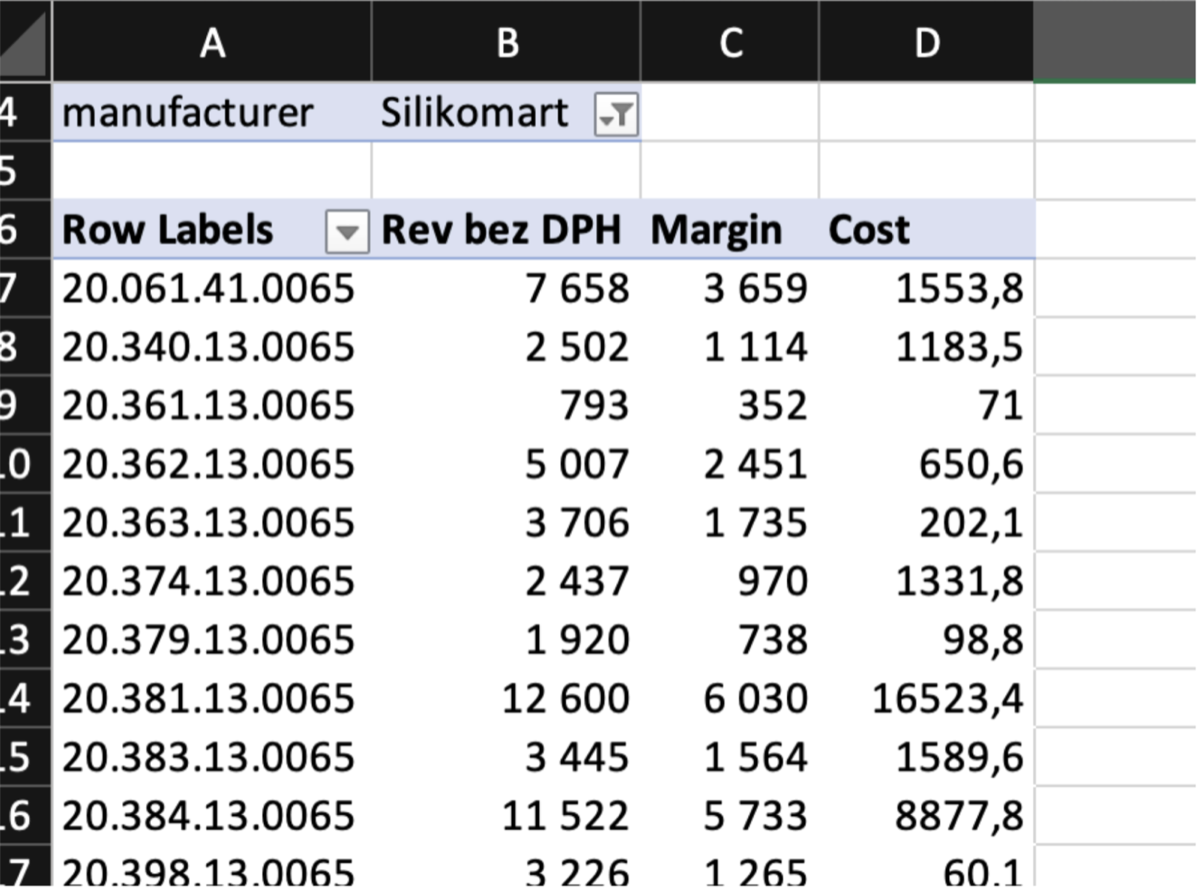
And I noticed that:
- there are products that sell well and bring profit,
- there are products that sell well but without profit or even at a loss,
- there are products with budget but without sales,
- there are products with neither sales nor budget.
The first thing I applied was to exclude from advertising the products that simply drain the budget. And I found a way to do it without a developer — I used Mergado (a service for working with an XML feed) and custom settings in Shoptet (our CMS).
And I saw an increase in sales of almost 40%, thanks to the budget reallocation. The products that sell well for us got more budget, the products that bring no sales got less budget.
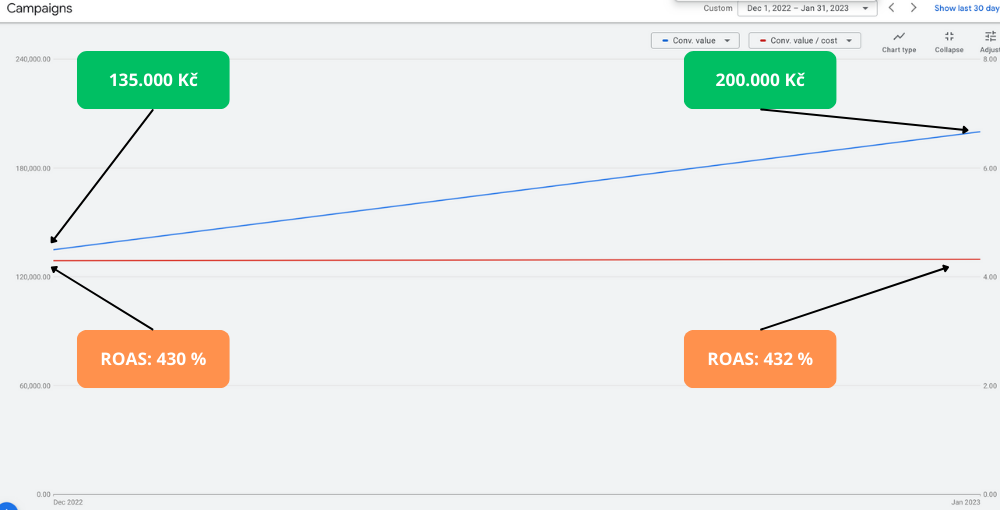
And I realised there is something here. That it’s worth going further and deeper into this.
However, two tasks had to be solved:
- find a combination of product segments that fits the Google Ads algorithms.
- figure out how to automate all of it: the whole process of analysing and merging data took me about 30-35 hours. Which means that for at least 1 week we lose the relevance of the data, and therefore money.
I started looking for external services that would help me automate and set up advertising so that we would spend more and earn more.
I came across end-to-end analytics and started studying it. It’s a huge world where analysts behave like football fans proving to each other that their team (attribution model) is better and more effective.
One of the market leaders was ROISTAT, with whom we agreed to cooperate. But problems appeared from the very beginning. Technically it was a complicated integration, moreover, after a detailed analysis of the service I understood that even this direction would not help us solve the task:
to increase sales and effectiveness in Google Ads
Note: If you provide services where the target action for clients is enquiries (incoming phone calls, filled-in forms, incoming emails, chats and so on), then this service will help you a lot to understand what works effectively for you.
I continued my search, but I never managed to find something that suited us. The solutions were too expensive, required large investments and technical skills.
So I decided. that I should try to build it myself.
So I found a developer. Paid him 8.000 USD. And it was a complete failure.
A bitter and very unpleasant experience. I realised I couldn’t afford such costs and started looking for a partner who would take on the technical part. The search took about 2 years.
Only in 2022 did I meet a programmer and business partner who liked my idea and product. Rostislav. We agreed and within a month he created the full data model. At this stage one task was being solved — automation and timeliness.
The next step was mine — to find someone who would want to try all of this. Several online store owners immediately liked our idea and agreed to cooperate.
We moved on to the second task — implementing our algorithm in Google Ads.
Over a year of testing we rewrote the algorithm about 7 times.
Thanks to that we tried:
- more than 12 different methods of segmenting products and their behaviour in Google Ads.
- we built and tested more than 50 advertising campaign structures
And we arrived at a kind of symbiosis between product segmentation, the structure of advertising campaigns and the Google Ads algorithms.
Together with our first users we tested the new method on approximately 200,000 products with a total budget of more than 3.5 million dollars.
How GetProfit works
Working with the data, we understood that products should be segmented first of all by sales volume. Google likes that. And there is a simple explanation for it.
Google is a platform where demand meets supply. What is in demand sells well, and Google earns on that. That’s why they try to help every user find what they are looking for as quickly as possible. Otherwise users will stop using their service.
So, product segmentation aimed at increasing sales through Google has to be based on the competitiveness of the products. And the second factor that affects the business is the effectiveness of sales, return on ad spend (ROAS) and profitability (POAS).
We created 5 product groups by sales volume:
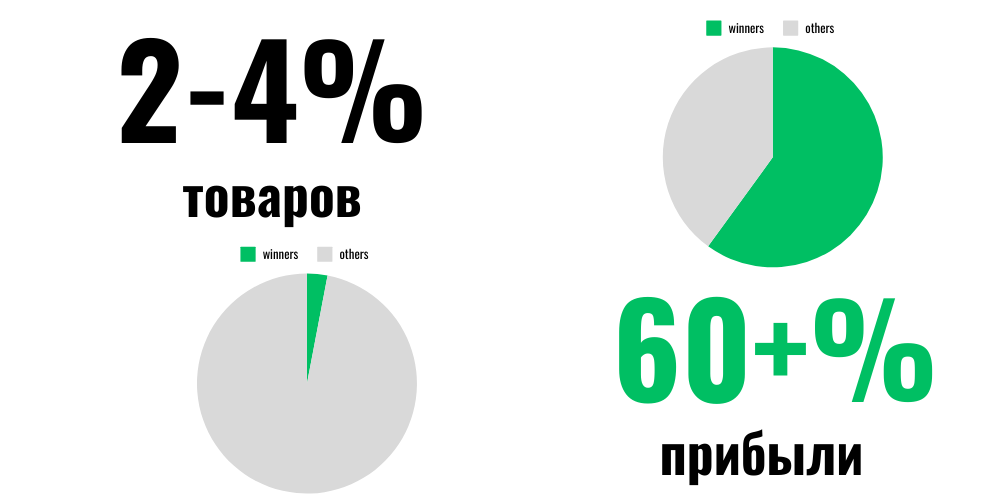
- Products that sell constantly and have good efficiency metrics. There are few of them, but they usually make up the larger part of the store’s profit. On average that’s 2-4% of the total assortment. We called them “Winners”.
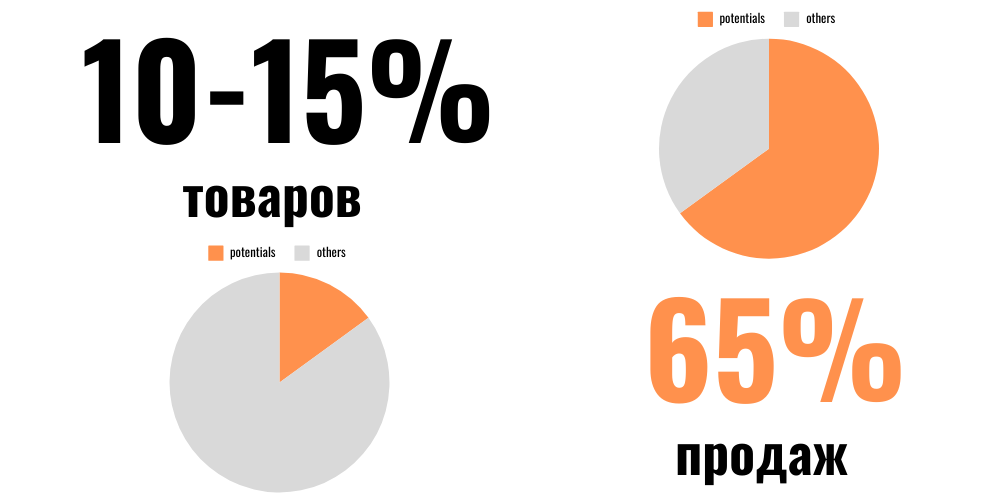
- Products that sell rarely but have a good efficiency metric. These are also products that still sell but have problems with efficiency. We call them “Potentials”.
- Products that spend your budget and whose sales are completely unprofitable, or that don’t sell at all yet spend a lot of budget. We named them “Loosers”.
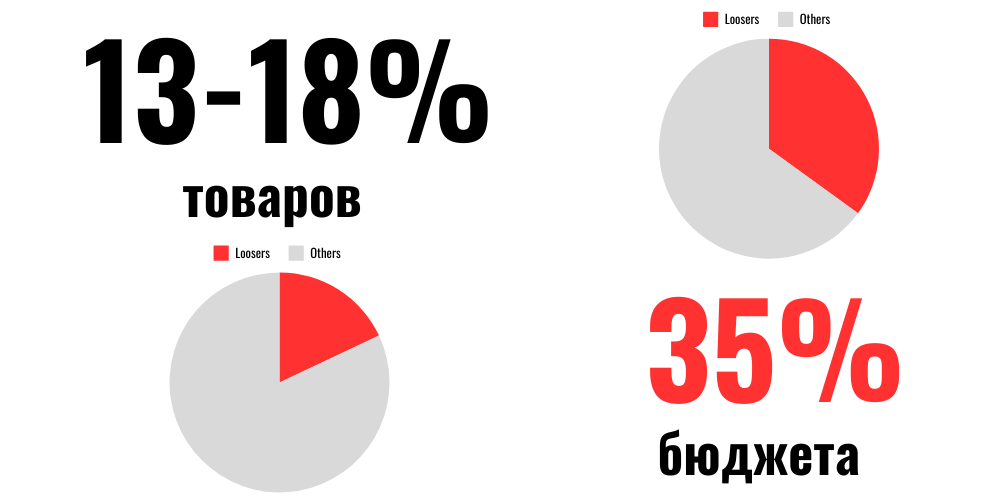
- Products that haven’t gathered enough data to judge their effectiveness reliably we named “Zoombies”.
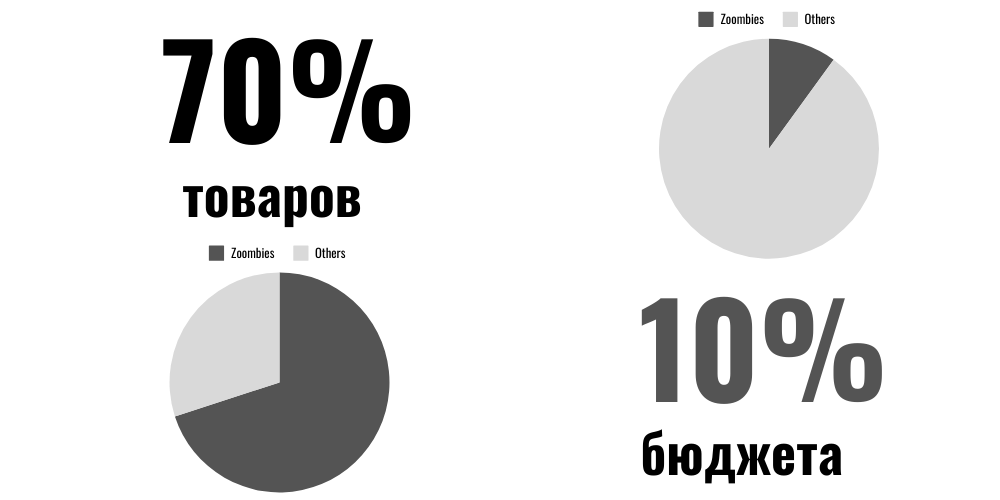
- The last group is new arrivals or products that have never been shown in Google.
The whole model comes down to the fact that data has to be analysed over different periods.
If we analyse product data over the entire time span, there is a high probability that this data will not be up to date.
And if we take data only for the last month, we won’t understand which products spend our budget every month and bring no sales.
Besides that, we discovered that every product has its own season. Usually it’s 2-5 months a year. And if we accidentally exclude these products from the advertising campaign, we will most likely lose sales. And the other way round, if we turn on products that drain our budget, we get pointless spending.
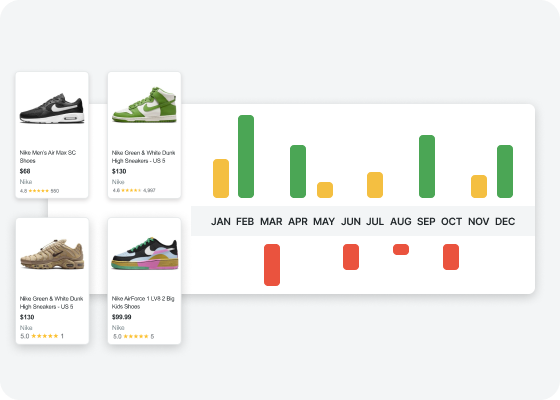
That’s why GetProfit processes data over several periods.
Here’s how it works
An example from one of our users. We implemented GetProfit in the middle of October.
The GetProfit online tool started making changes day after day. Occasionally we just checked the results.
After three months Google began to scale the sales, because GetProfit kept reallocating the budget towards the products that sell.
Here is another example, where in 2 weeks the store’s revenue was increased by almost 50%.
With this store we managed to start growing in the very first month. But the desired effect came only in the fourth.
Interesting fact: in March we were held back from a better result by an EU innovation — Consent Mode v2. For almost the whole first week the sales data was technically not sent to Google. But despite that, we managed to achieve good results.
We achieved these results based on a daily analysis of sales over different periods and the distribution of budget between products.
What tasks GetProfit solves:
- Products without sales don’t spend budget.
- Products that sell well get more clicks, more impressions and more sales.
- Seasonal products are advertised automatically and get more clicks, impressions and sales.
- Budget reduction on products that sell well but bring losses.
And additionally it saves the time of:
- The store owner
- The marketer (or replaces them)
- The analyst (or replaces them)
If you have an online store with more than 200 products and an advertising budget in Google Ads of more than 500 dollars a month, we recommend that you try GetProfit.
And we now offer you to try GetProfit for 30 days free of charge. You will see the results yourself, you will understand how it works.
And for the connection:
- You don’t need a developer or technical knowledge
- You don’t need to understand how to work with Google Ads.
- You don’t have to be an analyst
- The connection takes 24-48 hours at most
- We will do everything for you
If you want to achieve better results in Google Ads, try GetProfit.
7 key Google Ads tips for online stores
Product titles, assortment segmentation, price, ROAS and budget, stock availability and seasonality — seven things that decide the outcome of an online store's campaigns.
10 moves that bring more money from almost every order
Raising average order value for e-shops: 10 tactics with difficulty, impact and speed of results — and a step-by-step micro plan for each.
Playbook for Quick Wins with Product Data
Where to look in Google Ads and Merchant Center for quick improvements, and how to rewrite title, description and price so impressions, clicks and orders grow.